You recorded an hour-long interview and the piece is due tonight. Transcribing an hour by hand takes three or four hours of pausing and rewinding. And a doubt remains: did he say exactly this? That matters most when a quote has to be word for word.
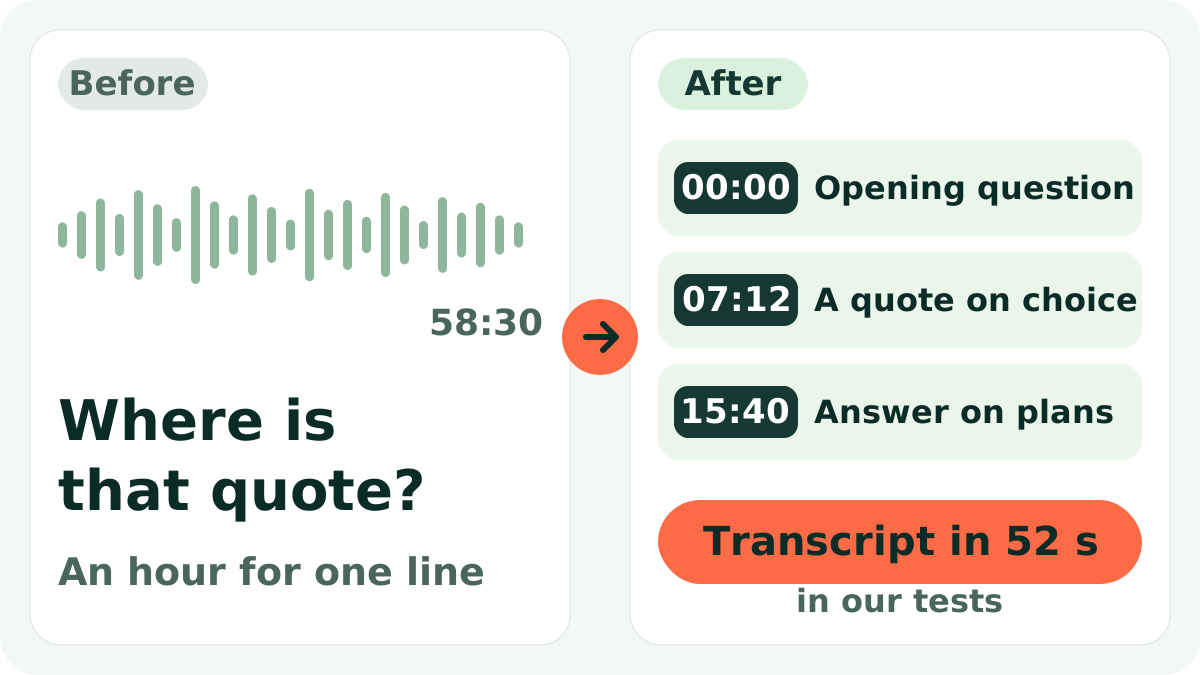
Short answer: send the recording to the Slovo v slovo bot, tap "Расшифровать" (Transcribe) and get timestamped text. On paid plans you can switch on speaker separation to see where the journalist speaks and where the guest does. You always check a quote against the audio by its timestamp. Three transcriptions a month are free.
Honest note: the bot lives in Telegram, its buttons are in Russian, and Russian is the priority language. English and auto-detect are in the settings, but accuracy on other languages is not guaranteed, so for an English interview verify every quote.
Step by step
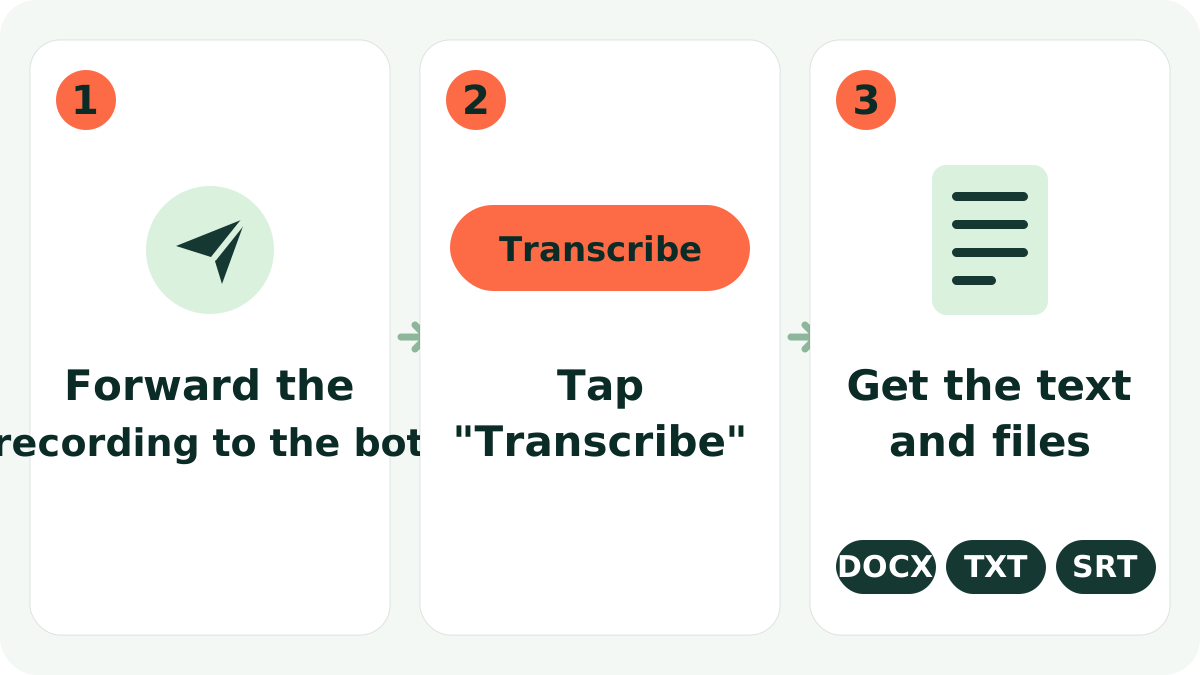
- Send the recording. A file from a voice recorder, a voice message, a video, or a YouTube, VK, Rutube or Yandex Disk link. Directly in Telegram: files up to 20 MB; bigger ones via a cloud link.
- Switch on speaker separation if two or three people talk. In
/settings, "Голоса: разделять" (paid plans). - Tap "Расшифровать". The bot asks for confirmation.
- Get the text and files. The transcript arrives in the chat plus DOCX, TXT and SRT. DOCX is handy for marking up and pulling quotes.
- Tap "Выжимки". For interviews, quotes, key points and a timestamped outline are useful: you see where each topic was discussed.
The same is available in the web chat, and in the web cabinet you can listen to the audio beside the text and edit it.
Example result
A fragment of an interview with speakers separated and a quote from the summary (translated for illustration):
 Slovo v slovoWhat the bot replies
00:00 Speaker 1: Tell me how it all started.
00:06 Speaker 2: We opened in a cramped basement, with three tables.
00:19 Speaker 1: And when did the first real success come?
00:25 Speaker 2: When an elderly neighbour brought her grandchildren and said: "You are ours now."
Quotes
00:25 "When an elderly neighbour brought her grandchildren and said: 'You are ours now.'"
A timestamp always sits next to the quote. Before publishing you quickly find the spot in the audio and confirm the words are not distorted.
Working with quotes
- Always verify against the audio. The transcript is automatic. A quote that goes into print must be checked by ear: one missed or misheard word changes meaning.
- Names, titles, numbers. The most vulnerable places. Check them by timestamp first.
- Editing is yours. Live speech with repeats and filler turns into readable text only through your hands. The bot does not invent words for your guest, but it does not make speech literary either.
- Approval. If your newsroom's rules require quote approval, send the guest already verified and edited passages.
Quality tips
- Recorder close to the guest. Two separate tracks or a lavalier beat one phone at the other end of the table.
- A quiet place. A cafe with music and dishes causes more errors than a calm office.
- Do not interrupt. Overlapping speech is transcribed worst; let the sentence end when you can.
- Accent and dialect raise the number of errors. Check such places by timestamp.
- Length. Per file: up to 120 minutes on the free and Start plans, up to 240 on Pro and Business.
Who it is for, and what it does not do
It suits journalists, editors, bloggers, researchers, podcasters and anyone working with live speech. To turn a conversation into minutes or tasks, see meeting minutes; for lectures see lecture transcription.
The limits: the bot does not know real speaker names (only "Speaker 1", "Speaker 2"), does not guarantee accuracy and does not replace fact-checking. On difficult recordings speaker separation sometimes mixes up lines. What to publish remains your decision. On the free plan you get the full text without speaker separation.
Privacy: the source file is deleted right after transcription. The listening copy in the cabinet is kept for up to 30 days, and the text can be deleted with a button. If an interview contains sensitive information about people, keep that and your newsroom's rules in mind.
Try it
The free plan gives 3 transcriptions a month, each up to 120 minutes, enough to try it on a real interview. For regular work, paid plans start at 349 RUB a month; see the site. Transcribe an interview in the bot.
FAQ
Does the bot add timestamps?
Yes, the transcript has timestamps, and you use them to find the spot in the audio.
Can it separate the journalist from the guest?
Yes, on paid plans: "Speaker 1", "Speaker 2". You label real names by hand.
Can I quote the text without checking?
No. Automatic transcription can be wrong, especially with noise and accents. Verify the quote by timestamp.
How long does it take?
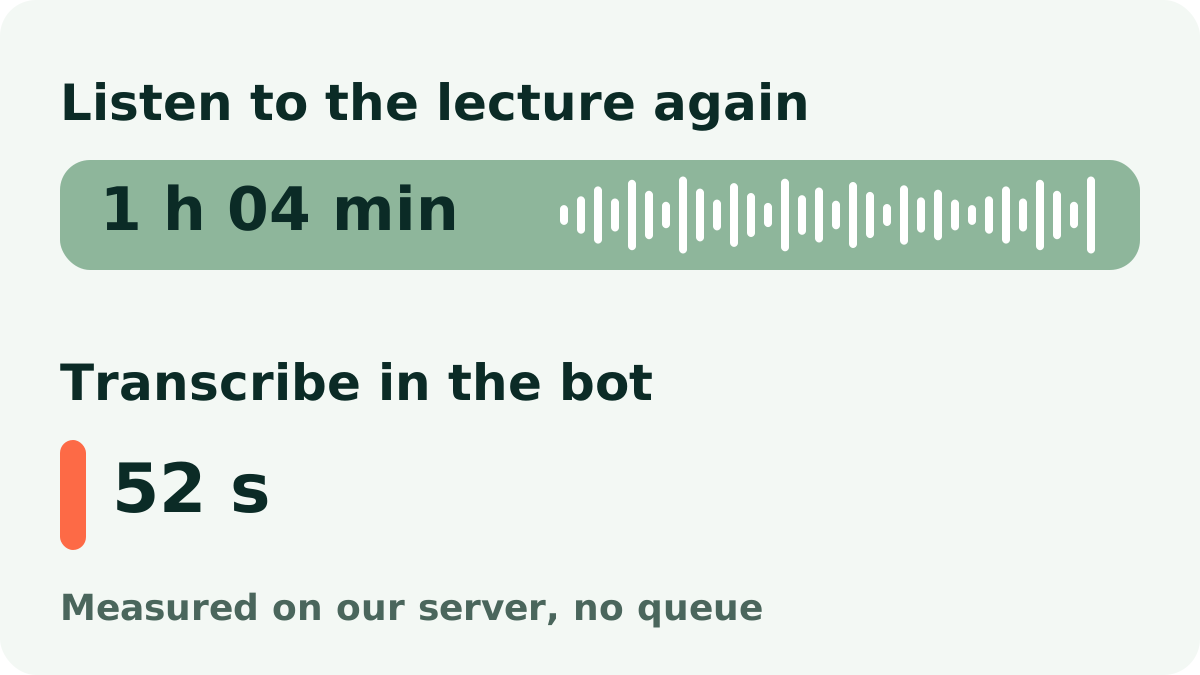
In our measurements, one hour of audio (1 h 04 min) took 52 seconds. Time depends on length and load.
What happens to the recording afterwards?
The source file is deleted right away, the listening copy in the cabinet is kept up to 30 days, and you can delete the text with a button.
Try it on your own recording
Send a voice message or a video to the bot and the text arrives right in the chat. The first minutes are free.
Transcribe in the bot